Optimize Bar-and-Beam Components Simply and Efficiently
Import, optimize, export: With TiCut, you can simplify the optimization of beam components using a modern web interface. See for yourself how you can quickly import part lists, receive optimization suggestions, and use the results directly in TiCom for further processing.
Date: November 10, 2026, from 10:00 a.m. to 10:30 a.m.
Location: In any standard web browser and on mobile devices via the Teams app
Click here or on the button below and register for our webinar!
Language: German
Optimizing beam components doesn't have to be complicated. In the past, this often required several steps and switching between different forms. With TiCut, this process becomes much simpler: import the parts list, perform the optimization, and export the results.
This modern web application consolidates the key steps into a clear and intuitive interface. This allows you to achieve optimization results faster and maintain a clear overview of your projects and components at all times.
Simple Workflow from Import to Result
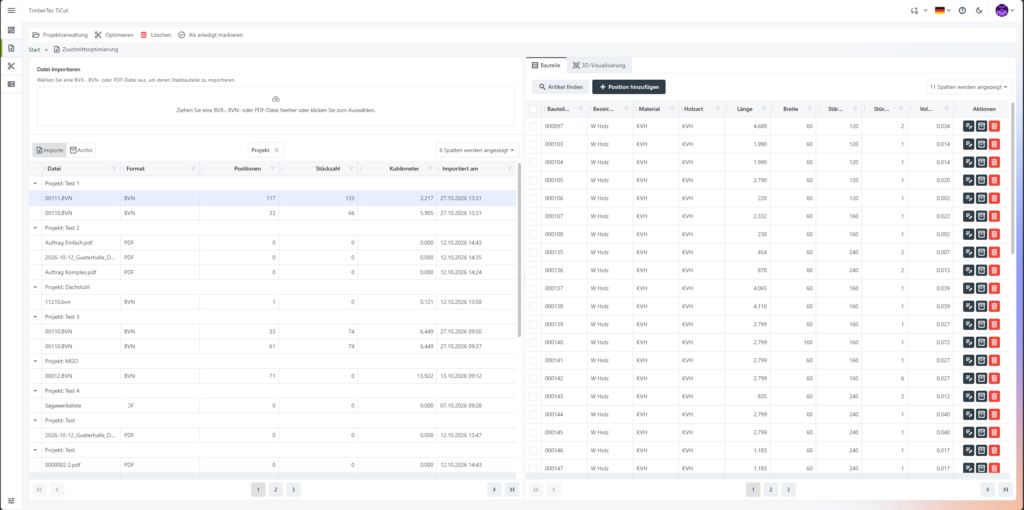
With TiCut, the focus is on a clearly structured workflow. You import your parts lists, verify the imported data, and start the optimization process. You can then review the results and customize them as needed.

Import existing parts lists via drag-and-drop in BVN or BVX format. PDF files can also be imported using the appropriate OpenAI key.
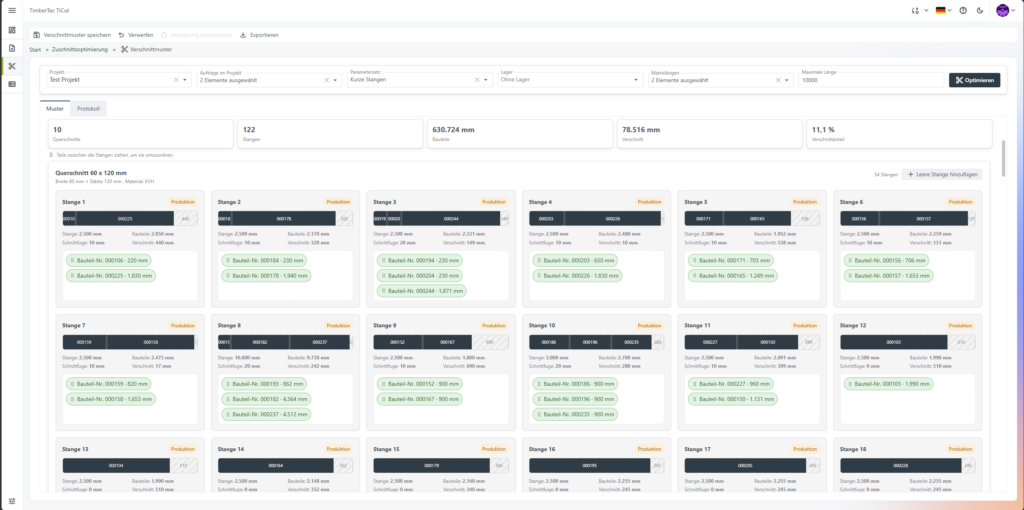
Automatic assignment of components to existing items. TiCut generates an optimization proposal with a graphical representation of the bars and the cutting pattern.
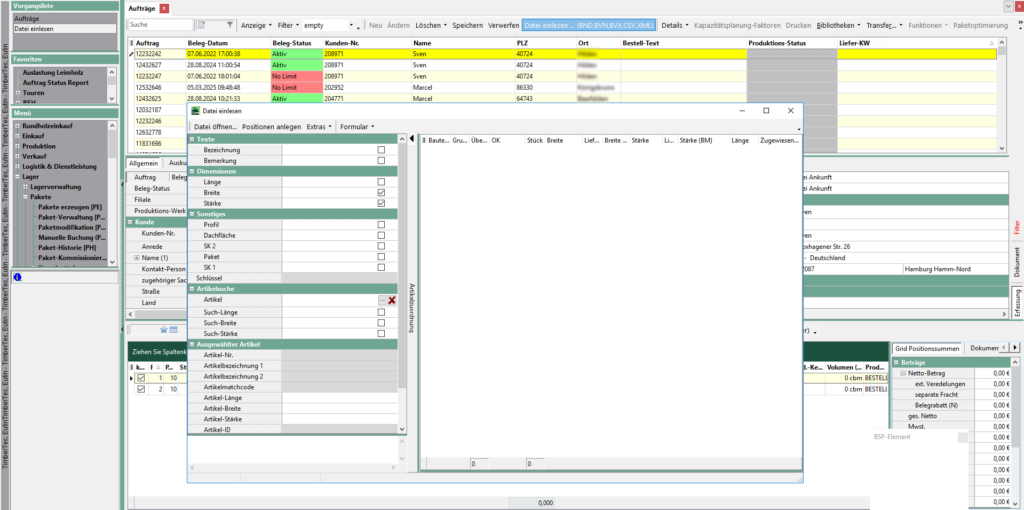
Next, export the results in BVN, BVX, or CSV format for further processing in TiCom (Orders form) or external programs.

Modern, flexible, and well-organized

Intuitive operation: A modern web interface guides you through each step. Files can be easily imported using drag-and-drop.

Custom Settings: Save your own sets of parameters for different requirements, such as for short or long rods. You can also customize the display of results to suit your personal preferences.

Automatic Data Mapping: Existing items are automatically matched with the imported components. Custom spellings and abbreviations can be accounted for through mappings.

Current database: Product master data and inventory levels can be synchronized with TiCom. This ensures that the relevant information is also available in TiCut.
Focus in the webinar
In this webinar, we'll show you through a live demo:
- How to easily import parts lists into TiCut.
- How components are automatically assigned to items and missing information is added.
- How to Set Custom Optimization Parameters.
- How TiCut Generates Optimization Suggestions and Cutting Patterns.
- How to review and customize optimization results.
- How to export the results and import them into TiCom for further order processing.
See for yourself how easy it can be to optimize bar-shaped parts with TiCut.
Register for the webinar now
Click here, or on the button below, to register for the webinar on November 10, 2026.
All registered participants will receive the webinar recording and the presentation given during the event.