
Mobile sales support

TiCom Connect

With TiCom Connect , you can document customer visits quickly, on the go, and in a structured manner—right on site.
Create visit reports or send information to the office. With the integrated location map, you can keep track of your customers.

TiCom Connect main features

Mobile screen shot of the customer overview.

Customer search

All contact details with additional information specifically for sales.

Mobile screen recording Open items, offers and individual orders.

Sales information

Open items, offers and individual orders.

Mobile screen shot of the proximity search.

Perimeter search

All customers in the location-based radius.
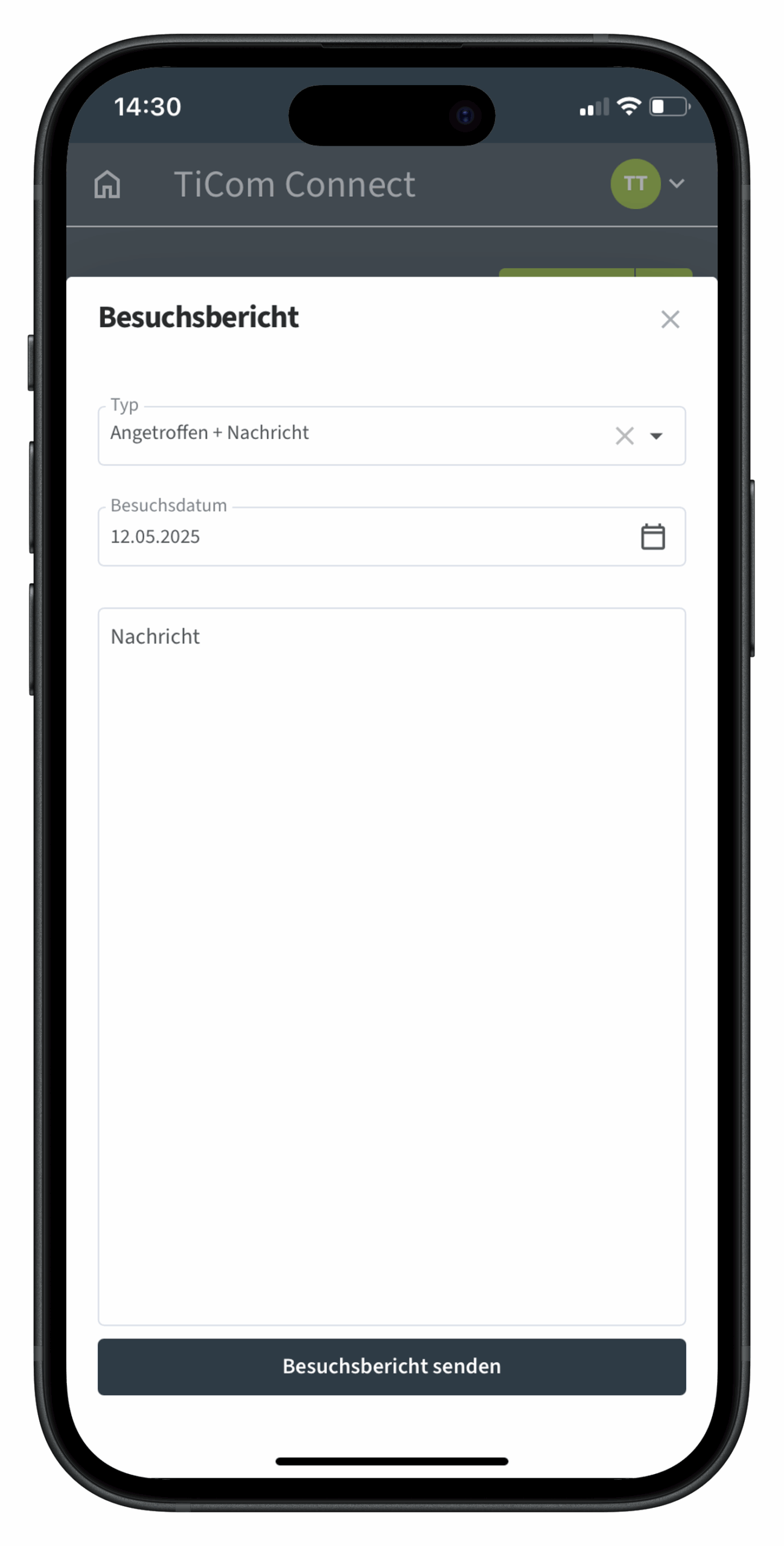
Mobile screen recording Visit reports and emails.

Emails and reports

Direct dispatch of emails and visit reports with speech-to-text.

TiCom Connect New Features at a Glance

Keeping an active eye on reporting deadlines


  • Automatic display of the relevant reporting deadlines from TiCom
  • Reminders even if customers are inactive for a longer period of time
  • Possibility to confirm reporting deadlines directly with the customer contact

Documents always with you


  • Call up PDF documents from TiCom (e.g. quotations, orders, invoices) directly in the app
  • Unit numbers, commissions and currency symbols displayed correctly and clearly

More flexibility in the map view


  • Set new location via "Long Press" and start proximity search
  • Tours also visible in receipts for better route planning

Personalized use


  • Default language of the user is taken into account
  • Login security: Administrators must be activated for online access in TiCom

Sales information expanded


  • Open items can be called up according to standard service pack
  • Differentiated presentation of sales per store
  • Show house and production addresses at the same time

Fast, simple and efficient

Contact us to learn more about TiCom Connect and our software products for the wood industry.

TiCom 365 Connect log-in on your smartphone or tablet.