From goods receipt to the automatic delivery bill
Our solution ensures transparent processes, minimizes sources of error and adapts flexibly to legal changes. Thanks to fast implementation, seamless integration into existing processes and a multilingual user interface, you are ready to go straight away and remain optimally equipped for the future.
EUDR process description
We work with EUDR reference numbers, which we compare directly with the EU system. Based on the customs tariff numbers, we draw conclusions about the outgoing material from the incoming material used and also take into account the stock turnover rate. When creating a delivery bill, we determine all relevant reference numbers for the relevant period. These reference numbers are bundled together in the delivery bill, transmitted to the EU system and merged into a unique master number - a compact identifier that can be easily passed on.
Changes in forms
Log forms
The EUDR reference number can be stored in the example form "Incoming goods" (preliminary contract, batches, goods receipt, preliminary entry, etc.).
The following points apply:
- The EUDR reference number can be entered from the linked preliminary contract, from the batch or manually for each delivery.
- An EUDR number is mandatory for each delivery (e.g. truck, wagon), as it is verified via the EU system each time goods are received.
- The [Edit EUDR] button is located at the top of the form.
Edit EUDR" form
- The [Edit EUDR] button is available in all relevant entry and exit forms.
- New / Add] button: Enter new reference numbers or link existing numbers with delivery, as well as the [Request verification numbers] button.
- Several reference numbers can be linked per delivery.
- Request verification numbers] button: Check each reference number against the EU platform ("Traces") and return a verification number confirming the verification status with "Checked".
- Link mode" column: Displays how the reference number entered the system (manual / automatic) and locks the number after verification.
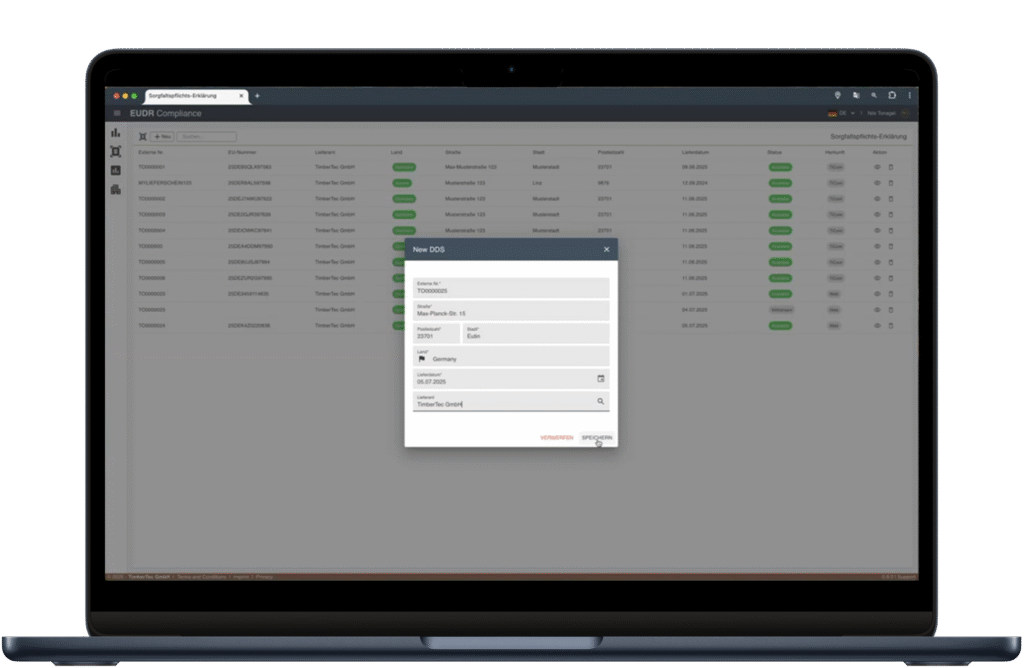
TimberTec EUDR Compliance Portal
- TiCom communicates asynchronously via a web service agent that works with the customer credentials stored in the EU portal (Traces).
- When you click on [Request verification number], TiCom sends the reference number to the TimberTec web service, which transmits it to Traces.
- Traces checks the reference number and responds with a verification number; this is retrieved in the background and entered back into TiCom.
- New due diligence declarations can also be created and submitted here outside of TiCom.
Goods receipt" form
- The [Edit EUDR] button is also available in the goods receipt form (e.g. sawn timber).
- One or more reference numbers can be entered for each goods receipt header. All items/packages automatically adopt all numbers of the corresponding incoming material.
- The stored numbers are compared, verification numbers are reported back and marked green as soon as they have been checked. According to the logic from the log purchase.
Automatic creation of delivery bills with all necessary reference numbers
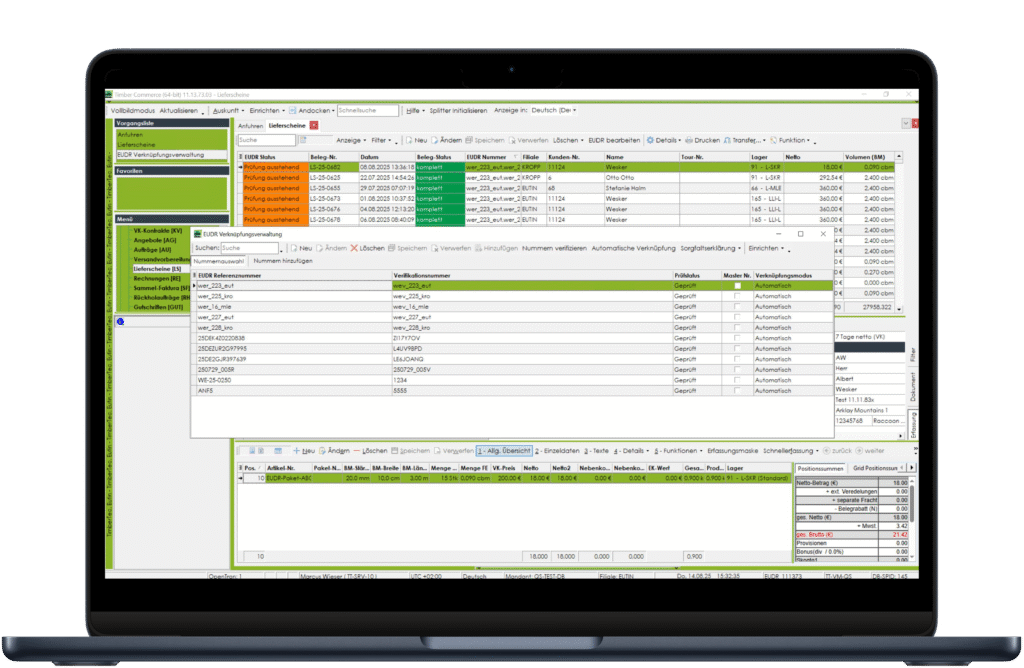
- When creating a delivery bill, TiCom uses the new EUDR logic (customs tariff numbers, transshipment duration, EUDR accuracy) to automatically determine all matching inbound reference numbers.
- Using the customs tariff numbers, the handling time, the incoming material used and the products produced, all relevant reference numbers can be automatically printed on the delivery bill.
- All verified numbers can in turn be bundled and sent to the EU portal and we receive a "master number" in return.
- The master number can be passed on and is valid as a new reference number.
EUDR document search and EUDR reference number search
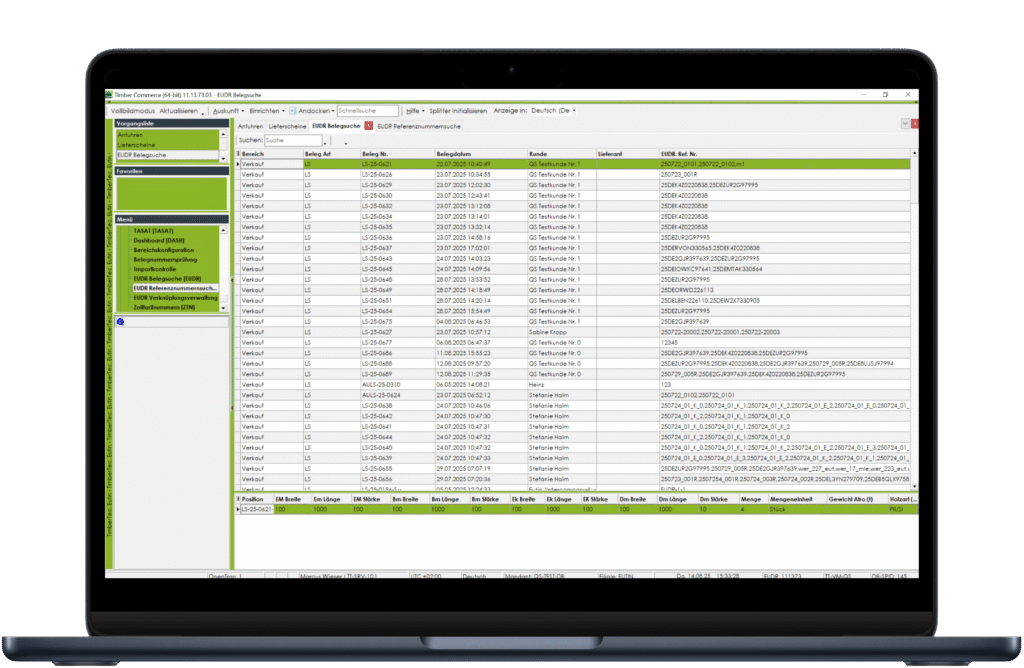
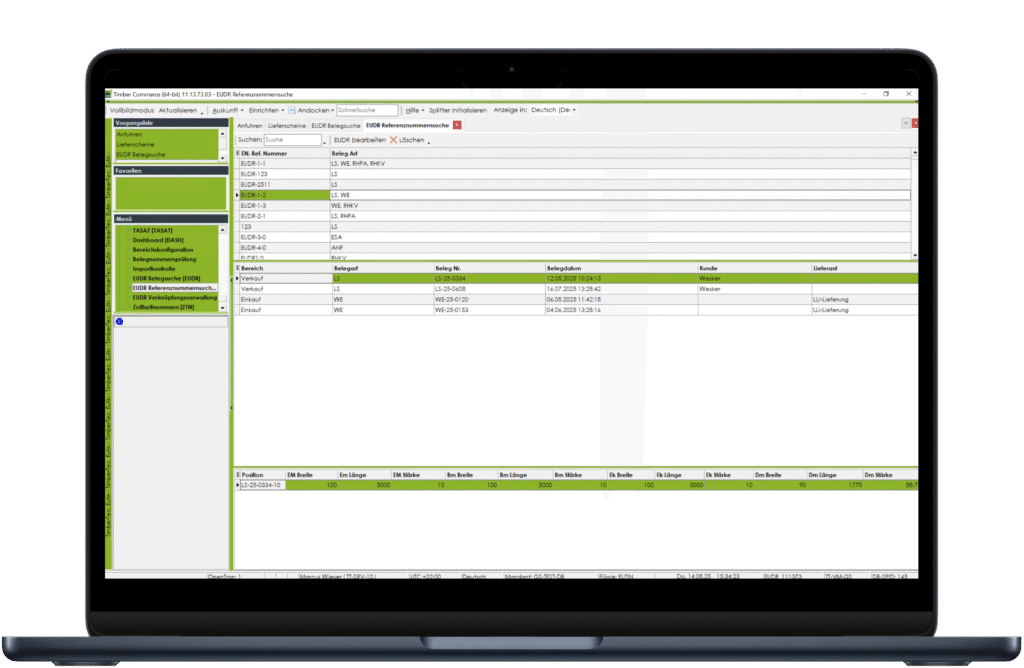
- Form "EUDR document search": Search for "document numbers" (e.g. delivery bill, goods receipt) that are linked to one or more EUDR numbers.
- Form "EUDR reference number search": Search for a specific "EUDR reference number" and display all linked documents.
Advantages

Minimization of error sources

Transparent process history

Future-proof thanks to scalable architecture

Fast implementation and short training period

Seamless integration into existing processes

Multilingual user interface

Included updates for changes to the law
Modules and availability

Available from TiCom version 11.12.xx.xx
EUDR basic module with web service, logs, purchasing, sales, packages of sawn timber, packages of glulam (KVH, BSH, CLT)
How about a demo or a personal consultation?
Thank you for your interest. Contact us for a personal consultation on our EUDR solution.